Free receipt scanner with AI
Take a photo or upload a PDF of any receipt or invoice. In seconds you get the vendor, the date, every line, the VAT by rate and the total, ready for Excel or for your expenses.
- Free: 3 scans a day
- No sign-up
- Photo or PDF
- Receipts from any country
- Files are not stored
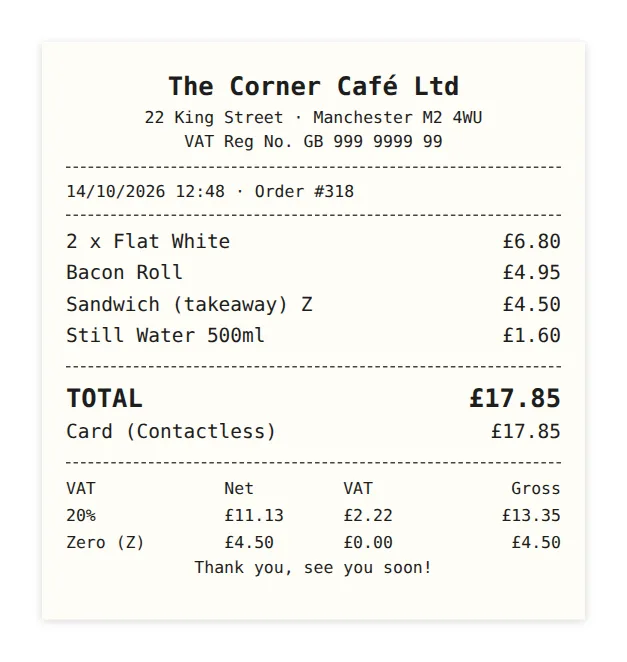
Drop your receipt or invoice hereScan a receipt with your phone
JPG, PNG, WebP, HEIC or PDF up to 6 MB · or paste a screenshot (Ctrl+V)Take a photo, or upload one or a PDF
3 free scans a day, no account needed
No receipt to hand? Try a sample:
What it reads from each receipt
The same fields your bookkeeping needs, from a photo of a till receipt or a supplier's PDF invoice.
Vendor and tax ID
The business name from the header and its VAT or tax number (NIF, USt-IdNr., SIRET, VAT Reg No.…).
Date and receipt number
Read in the receipt's own format (DD/MM, MM/DD, 2026年10月11日…) and returned as a normal date.
Every line
Description, quantity, price and amount of each product or service, in the receipt's language.
VAT by rate
The tax table read rate by rate (21 %, 10 %, 4 %, or 7 % and 19 %) with the base and tax of each.
Subtotal, tax and total
Subtotal before tax, total tax and the total paid, checked so they add up.
Tips and added sales tax
US-style receipts with the tax added at the end and a tip line work too.
Currency and payment
€, £, $, ¥, MXN, SAR… from the symbols and the address, and whether it was paid by card or in cash.
Expense category
Meals, transport, travel, software, office, materials… ready to file the expense.
From photo to spreadsheet in three steps
Snap it or upload it
Take a photo with your phone, drop a file or paste a screenshot. Supplier PDFs work too.
The AI reads it
The scanner reads the whole document, tax table included, and works out what each number means.
Check it and export it
Fix anything with a click, then download Excel, CSV or JSON, or save it as an expense in KipBill.
Receipts from any country
Prices with tax included or added at the end, decimal commas or points, any date format, reduced rates marked with letters or symbols: the scanner reads each receipt the way it was printed, in any language and currency.
Tested with receipts and invoices from Spain, Mexico, Germany, France, Italy, United Kingdom, United States, Japan, Saudi Arabia.
- IVAES · MX · AR · IT · PT
- VATGB · IE · SA · AE
- MwStDE · AT · CH
- TVAFR · BE · LU
- BTWNL · BE
- PTU / VATPL
- Sales taxUS
- GST / HSTCA · AU · IN
- 消費税JP
- 부가세KR
- 增值税CN
- ضريبة القيمة المضافةSA · AE
Your receipts, filed as expenses
In KipBill the same scanner turns each receipt into an expense with its VAT, keeps the photo with it and adds it to your reports, next to your invoices.
- Scan from your phone in Expenses → Scan Receipt, or upload photos and PDFs
- The receipt image stays attached to the expense
- Deductible tax by rate and profit in your reports (Starter and above)
- Invoices, quotes and expenses in one place, in 12 languages
Receipt scans included
- Free5 a month
- Starter15 a month
- Pro50 a month
- Business100–1,500 a month
Every plan includes scans, the free one too. Business grows with the size of your team.
See plans and pricesKey facts
- Price
- Free, 3 scans a day without an account
- Files
- Photos (JPG, PNG, WebP, HEIC) and PDF, up to 6 MB
- Data
- Vendor, tax ID, date, number, lines, VAT by rate, subtotal, tax, tip, total, currency, payment method and category
- Export
- Excel (.xlsx), CSV, JSON, or copy and paste
- Countries
- Any country, language and currency
- Storage
- None: the file is read and discarded
- Speed
- A few seconds per receipt
Private by design
Your file is only used to read its data. We don't store it: it goes to our AI provider only to be read, and it never goes into any account unless you choose to save it in KipBill. Photos are resized in your browser before they're sent, which also removes their location data.
The scanner gives you the data for your bookkeeping, but it isn't certified digitisation: keep the originals for as long as the law in your country requires.
Frequently asked questions
Is the receipt scanner really free?+
Yes. You can scan 3 receipts or invoices a day without an account. To scan more and keep them as expenses, create a free KipBill account: the free plan includes 5 scans a month, and the paid plans more.
Which files can I scan?+
Photos in JPG, PNG, WebP or HEIC (iPhone) and PDF files up to 6 MB. Photos are resized in your browser before they're sent, so even big phone pictures upload quickly.
Does it work with receipts from my country?+
Yes. It reads receipts and invoices in any language and currency: prices with or without tax, decimal commas or points, any date format and several tax rates on one receipt. It has been tested with receipts from Spain, Mexico, Germany, France, Italy, the UK, the US, Japan and Saudi Arabia.
How accurate is it?+
It reads the receipt's own tax table, checks that the subtotal, tax and tip add up to the total, and tells you when they don't. A faded or crumpled receipt can still cause mistakes, so check the data before you use it: you can correct any value with a click.
Do you keep my receipts?+
No. The file is read to extract its data and then discarded. Nothing is saved unless you create an account and choose to save the receipt as an expense.
Can I export the data to Excel?+
Yes: download an Excel workbook (receipt, lines and taxes on separate sheets), a CSV file with one row per line or JSON, or copy everything and paste it into Excel or Google Sheets.
Can I scan supplier invoices, not just till receipts?+
Yes. PDF invoices from suppliers work too: the scanner reads the invoice number, the supplier's tax ID, every line, the VAT and the total.
Is a scanned receipt valid for the tax office?+
The scanner gives you the receipt's data for your bookkeeping, but it isn't certified digitisation software. In many countries you have to keep the original (on paper, or the invoice you were e-mailed) for several years, so don't throw it away unless the rules in your country allow it.
How do I turn a receipt into an expense?+
Press “Save in KipBill” after scanning it. Create a free account (or sign in) and the receipt will be waiting for you in Expenses, ready to save with its VAT and its photo.
More free tools
Stop typing up receipts by hand
KipBill reads your receipts, files your expenses and sends your invoices. Free plan, no card needed.
Create free account