Wave vs Zoho Invoice: Which Is Better in 2026?
 KipBill Team
If you are searching for invoicing software in 2026, Wave and Zoho Invoice are two names that come up constantly. Both offer free plans, both have been around for years, and both promise to help freelancers and small businesses get paid faster. But they are built for very different users, and the right choice depends on what you actually need.
We put Wave and Zoho Invoice side by side to compare pricing, features, templates, international support, and ease of use. We also cover a third option that combines the strengths of both — in case neither platform is the right fit.
Quick Verdict
Before diving into the details, here is a summary of how Wave and Zoho Invoice compare across key categories:
| Category | Wave | Zoho Invoice | Winner |
|---|---|---|---|
| Pricing (free plan) | Free invoicing + accounting | Free (1 user, 5 clients) | Wave |
| Paid plan value | Payment processing fees only | $15–$30/month | Wave |
| Invoice templates | 1 template | 5–10 templates | Zoho |
| Customization | Limited | Moderate | Zoho |
| International support | English only, USD/CAD focus | 10+ languages, global | Zoho |
| Accounting integration | Built-in | Zoho Books (separate) | Wave |
| Ease of use | Very simple | More complex | Wave |
| Feature depth | Basic | Comprehensive | Zoho |
| Mobile app | Functional | Full-featured | Zoho |
| Payment processing | Built-in (2.9% + $0.60) | Stripe/PayPal integration | Tie |
The short version: Wave is simpler and cheaper for US/Canada-based freelancers who want basic invoicing with accounting. Zoho Invoice is more powerful and better suited for international businesses that need advanced features. But neither platform is perfect — keep reading to find out why.
Pricing Comparison
Wave
Wave built its reputation on being completely free — but as we explored in our KipBill vs Wave comparison, that "free" label has caveats. In 2026, the core invoicing and accounting features remain free, but the business model has evolved:
- Invoicing: Free — unlimited invoices, unlimited clients
- Accounting: Free for basic features, though some advanced reporting has moved behind a paywall in certain regions
- Payment processing: 2.9% + $0.60 per credit card transaction, 1% for ACH ($1 minimum)
- Payroll: Paid add-on, pricing varies by state/province
The catch is that Wave makes its money on payment processing. If you process $5,000/month in payments through Wave, you are paying roughly $205/month in fees. For low-volume freelancers who collect payments outside the platform, Wave remains genuinely free.
Zoho Invoice
Zoho Invoice offers a tiered pricing structure:
- Free plan: 1 user, 5 clients, 1,000 invoices/year, basic features
- Standard: $15/month — 3 users, 500 clients, recurring invoices, expense tracking
- Professional: $30/month — 10 users, unlimited clients, purchase orders, inventory, sales approvals
Zoho Invoice is part of the larger Zoho ecosystem. If you already use Zoho CRM, Zoho Books, or other Zoho products, the integration can be valuable. But if you just need invoicing, $15–$30/month adds up — especially when alternatives exist at a fraction of the cost.
Cost Scenarios
| Scenario | Wave Cost | Zoho Cost |
|---|---|---|
| 10 invoices/month, no online payments | $0 | $0 (free plan) |
| 10 invoices/month, $3,000 in card payments | ~$147/month in fees | $15/month + Stripe fees |
| 50 clients, recurring invoices | $0 (but limited features) | $15/month |
| Team of 5, full features | Not supported | $30/month |
For solo users who do not need online payment processing, Wave is the cheaper option. Once you add payments or need team features, the comparison becomes less clear-cut.
Invoice Templates and Design
This is where both platforms fall short — and where the gap between them and modern alternatives becomes obvious.
Wave
Wave offers essentially one invoice template with limited customization. You can add your logo, change the accent color, and adjust a few fields. The resulting invoices are clean but generic. If you send invoices to design-conscious clients or work in a creative industry, Wave's template will feel restrictive.
Zoho Invoice
Zoho Invoice is better here, offering 5 to 10 templates depending on your plan. You get more control over layout, fonts, and colors. The templates are professional and functional, though they lean toward a corporate aesthetic. Customization is moderate — you can adjust headers and footers, but deep layout changes require workarounds.
The Template Gap
If invoice design matters to your business — and it should, since your invoice is often the last impression a client has of your work — both platforms leave something to be desired. For comparison, KipBill offers 25 professionally designed templates spanning industries from tech startups to legal firms, dental practices, and creative agencies.
Your invoice is a reflection of your brand. A well-designed invoice communicates professionalism and builds trust. If your invoicing tool only gives you one or two generic templates, it is worth considering whether that aligns with how you want your business to be perceived.
Features Head-to-Head
Here is how Wave and Zoho Invoice compare on core invoicing features:
| Feature | Wave (Free) | Zoho Invoice (Free) | Zoho Invoice (Paid) |
|---|---|---|---|
| Unlimited invoices | Yes | 1,000/year | Yes |
| Recurring invoices | Limited | No | Yes |
| Expense tracking | Yes (basic) | No | Yes (Standard+) |
| Multi-currency | Limited | Yes | Yes |
| Quotes/Estimates | Yes (basic) | Yes | Yes |
| Credit notes | No | Yes | Yes |
| Reports | Basic | Basic | Advanced |
| Time tracking | No | Yes | Yes |
| Inventory | No | No | Yes (Professional) |
| Client portal | No | Yes | Yes |
| Payment reminders | Manual | Manual | Automatic |
| Tax management | Basic (US/Canada) | Multi-region | Multi-region |
| API access | No | No | Yes |
| E-signatures | No | No | No |
| File attachments | No | Yes | Yes |
Wave covers the basics well for North American users. Zoho Invoice is clearly the more feature-rich platform, especially on paid plans. The free plans on both platforms are usable but come with meaningful limitations.
One notable gap in both platforms: neither offers legally binding e-signatures on documents. If you need clients to formally accept quotes or sign off on invoices, you will need a separate tool.
Language and International Support
This is one of the biggest differentiators between Wave and Zoho Invoice, and it is worth paying attention to if you work with international clients.
Wave
Wave's interface is English-only. The platform is designed primarily for users in the United States and Canada, with tax features, bank integrations, and payment processing all built around those two markets. If you are a freelancer in Germany invoicing a client in Japan, Wave is not the right tool — the invoices it generates will not support localized formatting, and the tax handling is US/Canada-specific.
Zoho Invoice
Zoho Invoice supports 10+ languages in both its interface and generated invoices. It handles international tax systems, supports multiple currencies natively, and is used by businesses worldwide. If you operate across borders or need invoices in languages other than English, Zoho has a significant advantage.
If you invoice clients in multiple countries, language and localization support is not just a nice-to-have — it is a professional necessity. Sending an English-only invoice to a client who operates in French or Japanese can create friction and delay payments.
Mobile Experience
Wave
Wave offers a mobile app for iOS and Android that covers basic invoicing tasks. You can create and send invoices, view payment status, and scan receipts. The app is functional but limited — many features require switching to the desktop version. The interface is straightforward, which makes it easy to pick up, but power users may find it frustrating.
Zoho Invoice
Zoho's mobile app is more full-featured. You can manage invoices, track time, record expenses, and access reports from your phone. The app mirrors most of the desktop functionality, which is useful if you work on the go. The trade-off is a busier interface that takes longer to learn.
Both apps are serviceable, but neither delivers an exceptional mobile experience. Zoho's app is more capable, while Wave's is more straightforward.
Ease of Use
Wave
Wave's biggest strength is simplicity. The interface is clean, the onboarding is fast, and most users can create and send their first invoice within minutes. There is very little learning curve. This makes Wave an excellent choice for freelancers and solopreneurs who want to start invoicing immediately without reading documentation.
The downside of this simplicity is that Wave offers fewer options. When you need a feature that is not there — like detailed inventory management, advanced reporting, or multi-language invoices — there is no way to add it.
Zoho Invoice
Zoho Invoice is more powerful but also more complex. The interface has more menus, more settings, and more options at every step. For users who need those capabilities, this is a strength. For users who just want to send an invoice, it can feel overwhelming.
Zoho also benefits from — and suffers from — being part of the larger Zoho ecosystem. If you use multiple Zoho products, the integration is seamless. If you only need invoicing, you may encounter upsells and cross-product nudges that add friction.
The Third Option: KipBill
After comparing Wave and Zoho Invoice, a pattern emerges. Wave is simple but limited, especially for international users. Zoho Invoice is powerful but complex and expensive. If you are looking for a platform that combines the simplicity of Wave with the international reach of Zoho — at a lower price than either — KipBill is worth considering.
Here is how all three compare:
| Feature | Wave | Zoho Invoice | KipBill |
|---|---|---|---|
| Free plan | Yes (generous) | Yes (limited) | Yes |
| Unlimited invoices | Yes | 1,000/year (free) | Yes |
| Invoice templates | 1 | 5–10 | 25 |
| Languages | 1 (English) | 10+ | 12 |
| Email sending (free) | No | No | Yes (10/month) |
| View tracking | No | No | Yes (free) |
| Client portal | No | Yes | Yes (free) |
| Recurring invoices | Limited | Paid only | $3.49/month |
| Quotes | Basic | Yes | $3.49/month |
| Credit notes | No | Yes | Yes (free) |
| E-signatures | No | No | Yes (Pro) |
| Expense tracking | Basic | Paid only | $3.49/month |
| Online payments | 2.9% + $0.60 | Via Stripe | Via Stripe (Pro) |
| Team collaboration | No | $30/month | $6.99/month |
| Custom SMTP | No | No | Yes (Pro) |
| API access | No | Paid only | Yes (Pro) |
| Cheapest paid plan | N/A (fees) | $15/month | $3.49/month |
KipBill's free plan includes features that both Wave and Zoho charge for: email sending, real-time view tracking, a client portal, WhatsApp sharing, and credit notes. The Starter plan at $3.49/month unlocks recurring invoices, quotes, expense tracking, reports, and automatic reminders — features that cost $15–$30/month on Zoho.
With 25 PDF templates and support for 12 languages, KipBill addresses the two biggest weaknesses shared by Wave and Zoho Invoice: limited design options and limited internationalization.
Start invoicing for free
Join thousands of freelancers and small businesses who create professional invoices with KipBill.
Who Should Choose What
There is no single best invoicing tool for everyone. Here is a straightforward breakdown based on what matters most to you:
Choose Wave if:
- You are based in the United States or Canada
- You want free accounting alongside invoicing
- You do not need multilingual invoices or international tax support
- You prefer the simplest possible interface
- You are comfortable with a single invoice template
- You do not need to send invoices by email from the platform
Choose Zoho Invoice if:
- You need a full business suite (CRM, accounting, project management)
- You already use other Zoho products
- You need enterprise-level features like purchase orders, sales approvals, or advanced reporting
- You have a larger team and need granular user permissions
- Budget is not a primary concern
Choose KipBill if:
- You invoice international clients and need multilingual support
- You care about invoice design and want to choose from 25 professional templates
- You want the simplicity of Wave combined with the feature depth of Zoho
- You need a generous free plan with email sending and view tracking included
- You want affordable paid plans — $3.49/month instead of $15–$30/month
- You need e-signatures, a client portal, or team collaboration at a reasonable price
Not sure which tool is right for you? Our comparison of the best free invoicing software in 2026 covers seven platforms in detail, including Wave, Zoho Invoice, KipBill, Invoice Ninja, and more. You can also read our KipBill vs Invoice Ninja comparison for another head-to-head breakdown.
Conclusion
Wave and Zoho Invoice are both solid invoicing platforms that have earned their place in the market. Wave is the better choice for simplicity and free accounting in North America. Zoho Invoice is the better choice for feature-rich international invoicing within the Zoho ecosystem.
But if you find yourself drawn to Wave's ease of use while wishing it had better templates and language support — or if you like Zoho's capabilities but not its complexity or pricing — there is a middle ground.
KipBill gives you 25 templates, 12 languages, email sending and view tracking on the free plan, and paid plans starting at $3.49/month. No ecosystem lock-in, no per-transaction fees on your plan, and an interface designed to get out of your way. For even more options, check out our guide to the best FreshBooks alternatives in 2026.
Try KipBill free — no credit card required.
Start invoicing for free
Join thousands of freelancers and small businesses who create professional invoices with KipBill.

KipBill Team
Related Articles
KipBill vs Wave: Why KipBill Is the Better Choice in 2026
KipBill vs Wave comparison. Wave calls itself free but charges 2.9% per payment. KipBill offers 25 templates, 12 languages, and truly affordable plans. See the full breakdown.

7 Best Free Invoicing Software in 2026
Compare the 7 best free invoicing tools for freelancers and small businesses in 2026. Side-by-side features, pricing, limitations, and honest reviews of KipBill, Wave, Zoho, Invoice Ninja, and more.
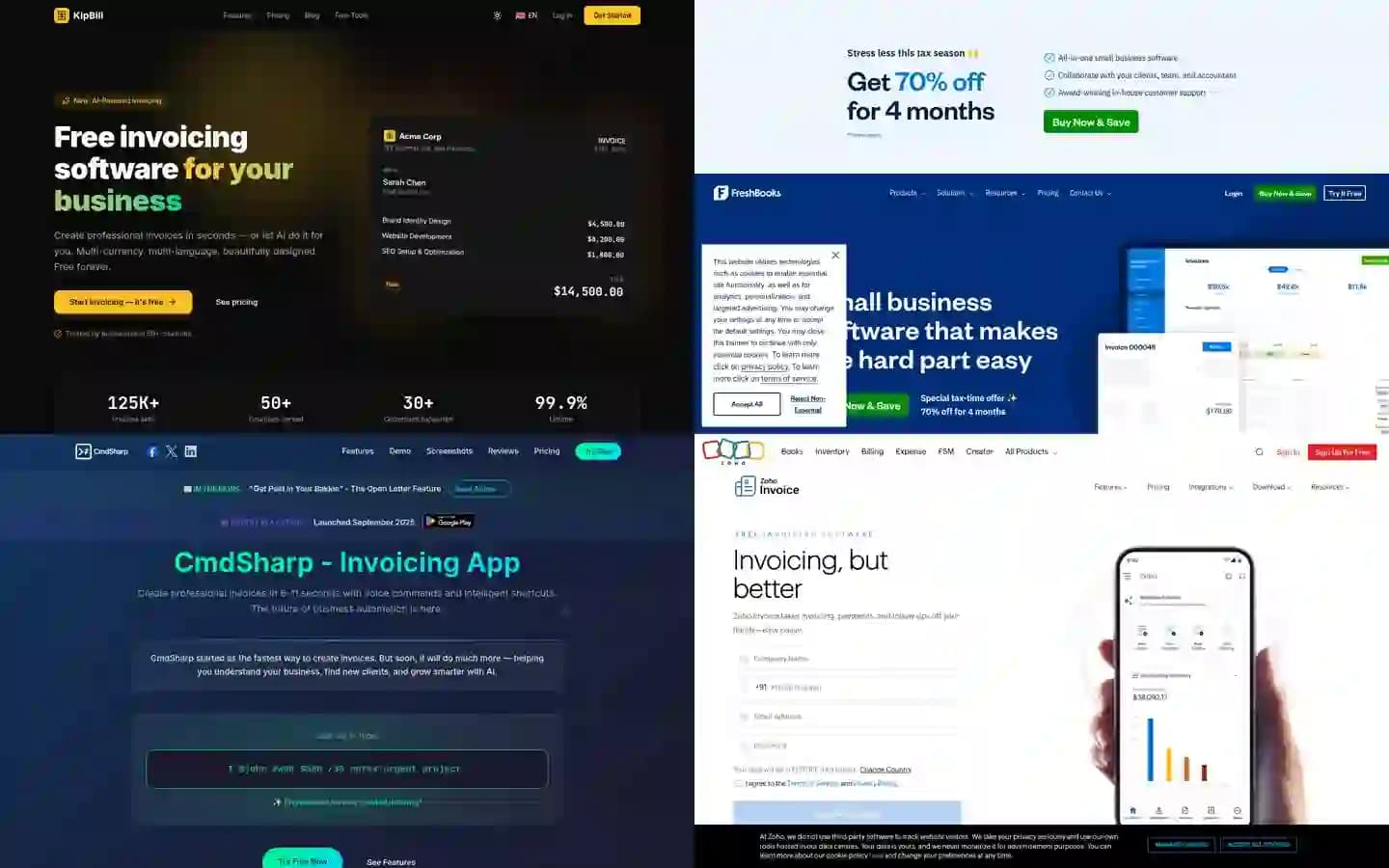
7 Best AI Invoicing Software in 2026 (Tested & Compared)
We tested 7 AI invoicing platforms head-to-head. Voice commands, conversational AI, receipt scanning — see which one actually delivers. Real features, real pricing, honest comparison.
Start invoicing for free
Join thousands of freelancers and small businesses who create professional invoices with KipBill.